现在的问题
使用hexo来部署github pages。
安装配置
- master分支用来储放生成的静态文件
- 创建hexo分支,储放hexo运行环境
文章作成
每次的文章作成,都要执行一下步骤
- 新建blog
- 执行
hexo g生成静态页面 - 执行
hexo d发布 - 把hexo的执行环境push到服务器。
其中第2,3步的执行步骤非常固定,可以用持续集成服务自动完成。
Travis CI
通过多方比较,发现Travis CI比较适合。
首先它有以下特点:
- 可以用Github账户直接登陆
- 有Linux环境
- 对于开源项目免费
注册
直接用Github的用户登陆即可。
取得GIthub的Personal access tokens
在Settings->Developer settings->Personal access tokens里,点击Generate new token,创建新的token,权限只要打开一下即可。
配置
打开需要持续集成的Repository,在Setting页面上添加一个环境变量GITHUB_TOKE,我上一步取得的token复制进去。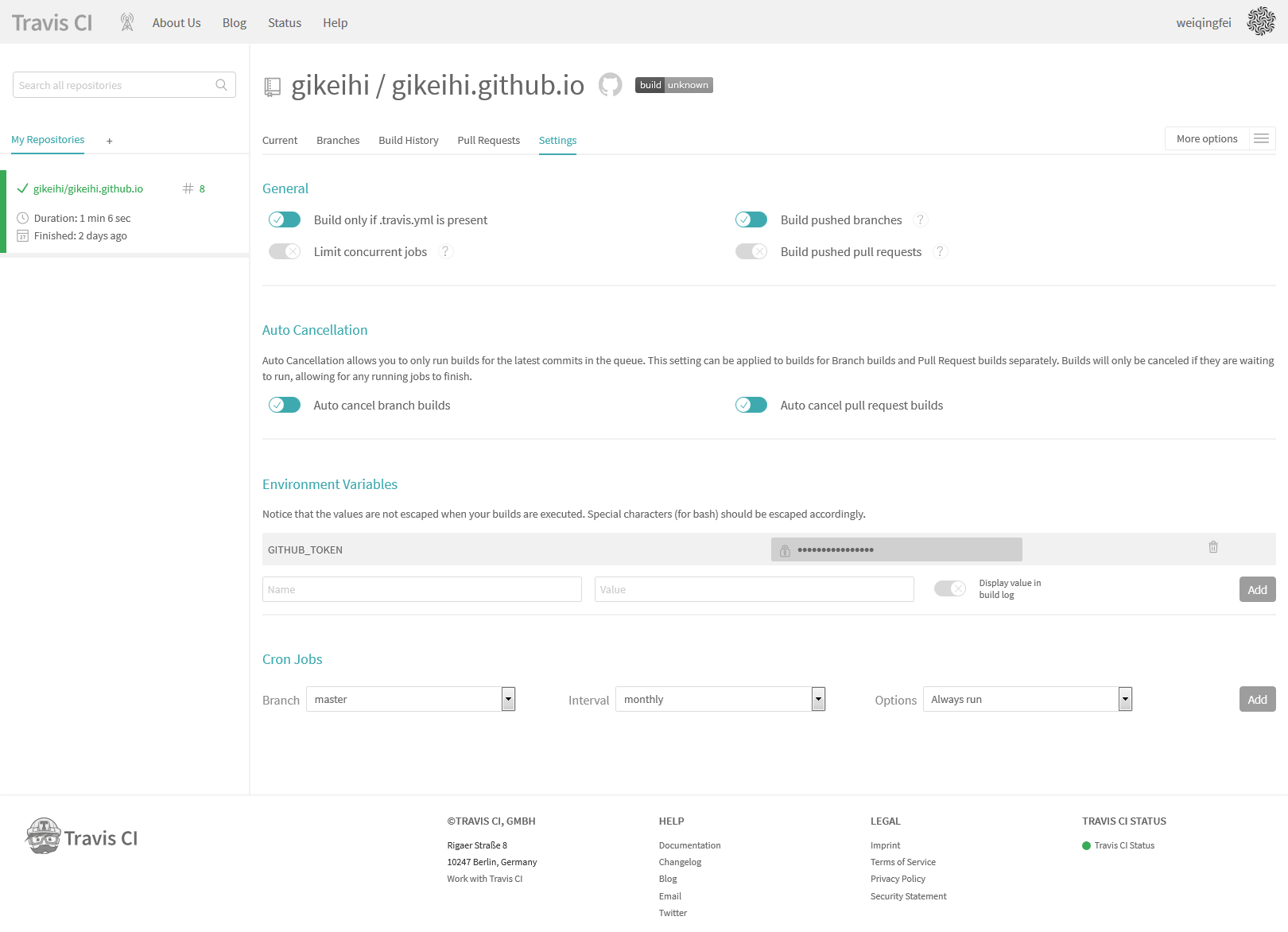
.travis.yml
分支的根目录下添加.travis.yml文件,内容如下1
2
3
4
5
6
7
8
9
10
11
12
13
14
15
16
17
18
19
20
21
22
23
24
25
26
27language: node_js
node_js:
- "8.11.2"
branches:
only:
- hexo
cache:
directories:
- node_modules
before_install:
- npm install -g hexo-cli
install:
- npm install
script:
- hexo generate
after_success:
- git config user.name "gikeihi"
- git config user.email "gikeihi@gmail.com"
- sed -i'' "s~https://github.com/gikeihi/gikeihi.github.io.git~https://${GITHUB_TOKEN}@github.com/gikeihi/gikeihi.github.io.git~" _config.yml
- hexo deploy